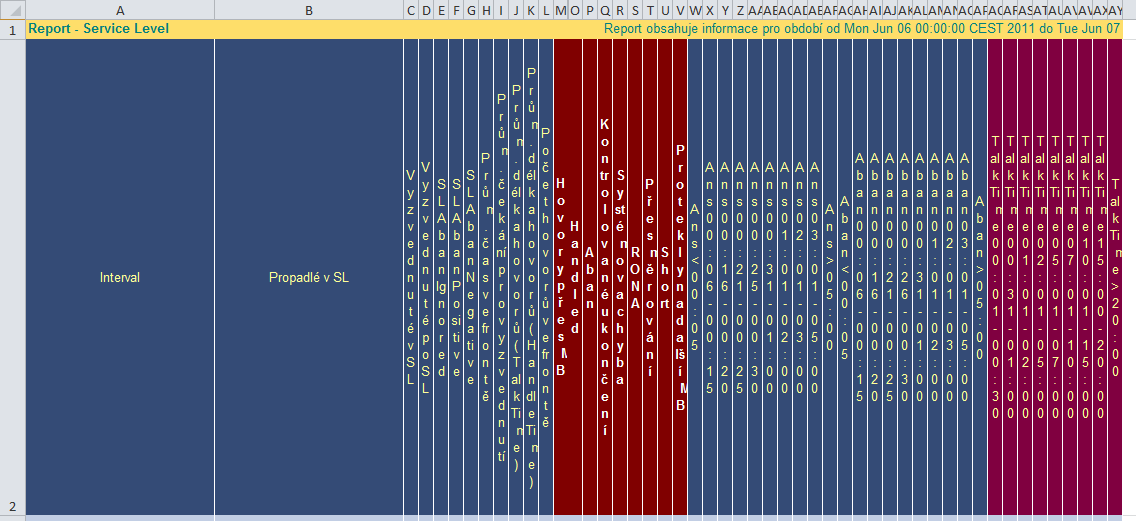
It's but a simple change, but the difference is subtle:

Oh, by the way, I tried out the Tribix XLS emitter for BIRT. It actually worked, but I decided to remove it because it created bad looking XLS files.
 |
| ZSSK 350 019-6 |
 |
| CD 471 042-2 |
 |
| CD 971 042-7 ;-) |
 |
| CD 471 009-1 |
 |
| CD 362 161-2 |
 |
| ZSSK 350 015-4 |
 |
| CD 362 112-5 |
 |
| CD 682 001-3 |
 |
| CD 150 222-8 |
 |
| CD 971 069-0 |
 |
| CD 380 005-9 |
 |
| :-( Two Vectrons behind, my bad, could not get a good shot. |
 |
| CD Cargo 130 037-5 |
 |
| CD 971 009-6 |
 |
| ÖBB 1216 210 |
 |
| CD 150 224-4 |
 |
| CD Cargo 163 003-7 |
 |
| CD 363 040-7 |
 |
| CD 362 021-8 |
 |
| ÖBB 1216 226 |
 |
| CD 380 012-5 |
switch (params["d1"].value) {So based on the value of the parameter named d1, the report will format the datetime value as year, year and month etc etc.
case "YE": this.getStyle().dateTimeFormat = "YYYY"; break;
case "MO": this.getStyle().dateTimeFormat = "YYYY MMMM"; break;
//case "WK": row["dtWeek"]; break;
case "DY": this.getStyle().dateTimeFormat = "YYYY MMMM DD"; break;
case "HO": this.getStyle().dateTimeFormat = "YYYY MMMM DD hh:00:00"; break;
case "HH": this.getStyle().dateTimeFormat = "YYYY MMMM DD hh:mm:00"; break;
//default: row["dtHalfHour"]; break;
}
package jobs;}
import org.apache.commons.vfs.FileFilter;
import org.apache.commons.vfs.FileFilterSelector;
import org.apache.commons.vfs.FileObject;
import org.apache.commons.vfs.FileSelectInfo;
import org.apache.commons.vfs.FileSystemException;
import org.apache.commons.vfs.FileSystemOptions;
import org.apache.commons.vfs.impl.StandardFileSystemManager;
import org.apache.commons.vfs.provider.sftp.SftpFileSystemConfigBuilder;
import org.quartz.Job;
import org.quartz.JobDataMap;
import org.quartz.JobExecutionContext;
import org.quartz.JobExecutionException;
import org.slf4j.Logger;
import org.slf4j.LoggerFactory;
public class FileCopyJob implements Job {
Logger log = LoggerFactory.getLogger(getClass());
String fileNameStartsWith = null;
@Override
public void execute(JobExecutionContext context) throws JobExecutionException {
long startPoint = System.nanoTime();
log.info("Reading config.");
JobDataMap data = context.getJobDetail().getJobDataMap();
String fromDirURL = data.getString("fromDirURL");
String toDirURL = data.getString("toDirURL");
fileNameStartsWith = data.getString("fileNameStartsWith");
log.debug("fromDirURL= {}",fromDirURL);
log.debug("toDirURL= {}",toDirURL);
log.debug("fileNameStartsWith= {}",fileNameStartsWith);
log.info("Instantiating File System Manager (FSM).");
StandardFileSystemManager fileSystemManager = null;
FileObject fromDirFileObject = null;
FileObject toDirFileObject = null;
try {
fileSystemManager = new StandardFileSystemManager();
log.info("Creating file objects.");
FileSystemOptions opts = new FileSystemOptions();
SftpFileSystemConfigBuilder.getInstance().setStrictHostKeyChecking(opts, "no");
fileSystemManager.init();
fromDirFileObject = fileSystemManager.resolveFile(fromDirURL,opts);
toDirFileObject = fileSystemManager.resolveFile(toDirURL,opts);
Boolean fromDirFileObjectExists = fromDirFileObject.exists();
Boolean toDirFileObjectExists = toDirFileObject.exists();
log.info("fromDirFileObjectExists? {}", fromDirFileObjectExists);
log.info("toDirFileObjectExists? {}", toDirFileObjectExists);
if (fromDirFileObjectExists==false || toDirFileObjectExists==false) {
log.error("Please check file paths, either directory does not exist.");
throw new RuntimeException("Directory does not exists.");
}
FileFilter ff = new FileFilter()
{
public boolean accept(FileSelectInfo fileInfo)
{
FileObject fo = fileInfo.getFile();
return fo.getName().getBaseName().startsWith(fileNameStartsWith);
}
};
FileObject[] foundFiles = null;
foundFiles = fromDirFileObject.findFiles(new FileFilterSelector(ff));
if (foundFiles.length < 1 ) {
log.info("No files found.");
} else {
for (FileObject foundFile:foundFiles) {
String baseName = foundFile.getName().getBaseName();
String destinationFullName = toDirURL + toDirFileObject.getName().SEPARATOR + baseName;
log.debug("Trying to move {} into {}",baseName,destinationFullName);
foundFile.moveTo(fileSystemManager.resolveFile(destinationFullName,opts));
log.info("Moved {}",foundFile);
}
} // no code beyond this point
} catch (FileSystemException e) {
log.error("Something bad happened with the file system you are trying to reach. ", e);
} finally {
log.info("Closing FSM.");
fileSystemManager.close();
}
long endPoint = System.nanoTime();
log.info("Operation took {} nanoseconds.", (endPoint-startPoint));
}
